 Wolfie Font Swapper
Preview & swap
fontson any website — instantly.
Try any typeface live on the page you're looking at — without touching code. 300+ Google Fonts, your system fonts, presets, per-domain rules, and copy-ready CSS / SCSS / JS.
Typography you can feel
Change the heading and the body text independently — pick a display face for titles and a comfortable reading face for paragraphs, then watch them pair up live, right on the page. This is exactly what Wolfie Font Swapper does on any site you visit.
A full type toolkit, on every tab
Designed for designers and developers who want to judge a font in context — on the real page, with real content.
Searchable font picker
Start typing and the list filters instantly. Popular Google Fonts are pinned to the top with a ★, so you reach the good stuff first.
Target what you want
Independent fonts for the whole page, headings (h1–h6), paragraphs, navigation and buttons.
Fine-tune with one tap
Quick chips for weight, letter-spacing, size, line-height and letter case.
Presets
Save your favourite looks and switch between them — they persist across sessions. Unlimited with Pro.
Copy-ready snippets
Grab the exact CSS, SCSS or JS — the font files are embedded so the preview works even under strict CSP.
System fonts
With your permission, browse and apply fonts actually installed on your machine — names only, kept on your device.
Persistent per-domain presets
Optional: pin a custom preset to specific domains — it's saved persistently and auto-applies every time you return. A green dot marks tabs with an active rule.
9 languages
PL · EN · FR · DE · ES · UK · RU · RO · IT. Follows your browser; switchable in Options.
From curiosity to copy-paste
Open on any page
Click the toolbar icon or hit Ctrl+Shift+L. The popup opens over the page you're reading.
Pick & tweak
Search a font, set it per section, adjust weight, spacing and size. The page updates live as you go.
Save or copy
Store it as a preset / per-domain rule, or copy the generated CSS, SCSS or JS straight into your project.
Clean popup, real results
Everything happens in a compact, themed popup — no dashboards, no detours.
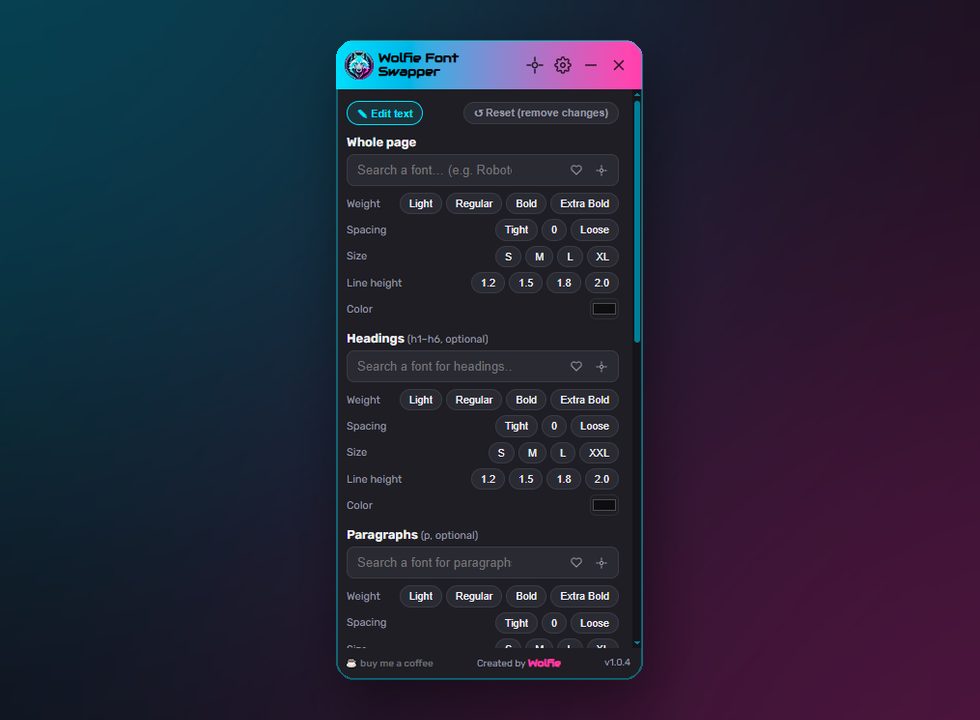
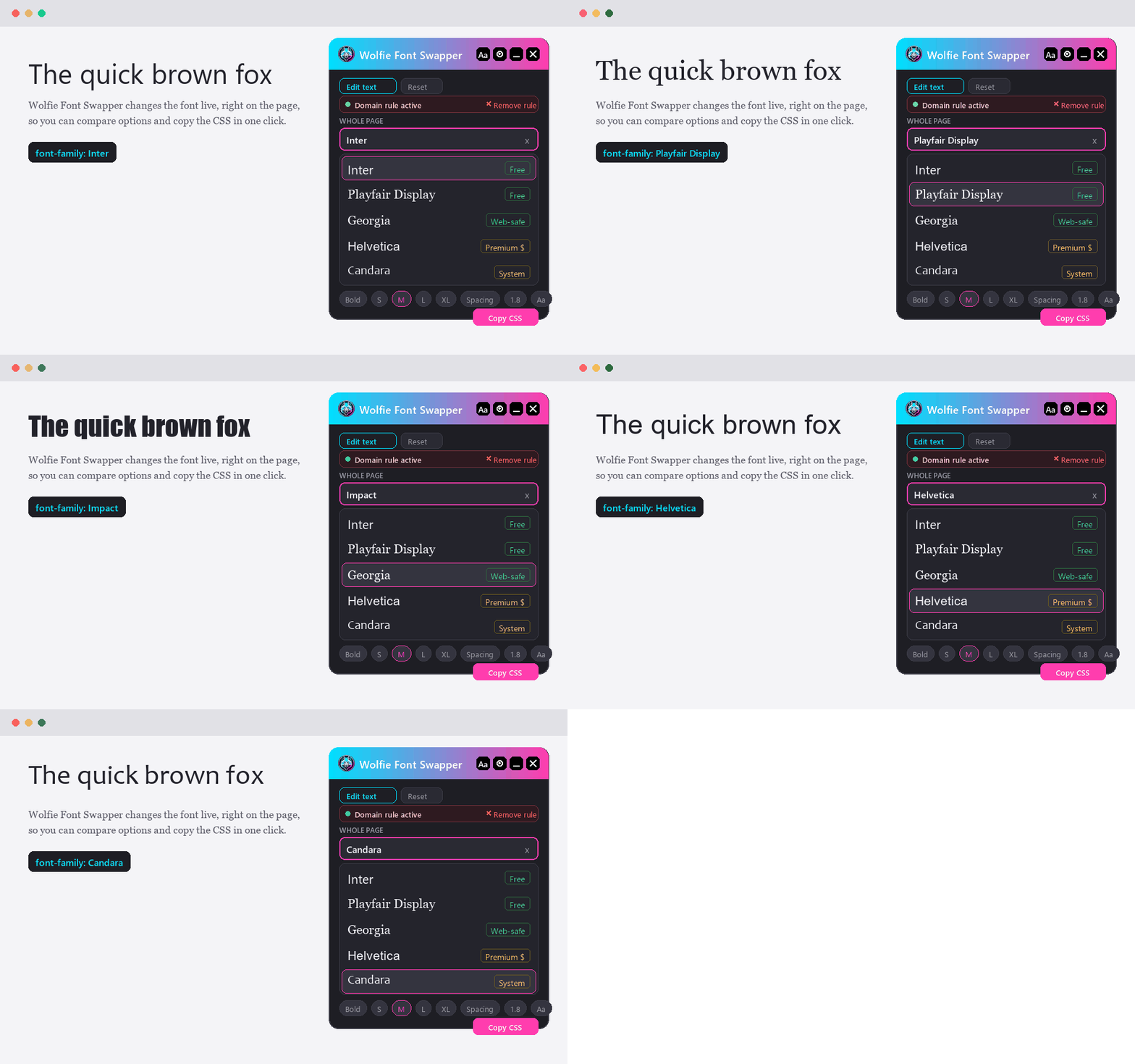
Screenshots may differ slightly from the extension depending on the version.
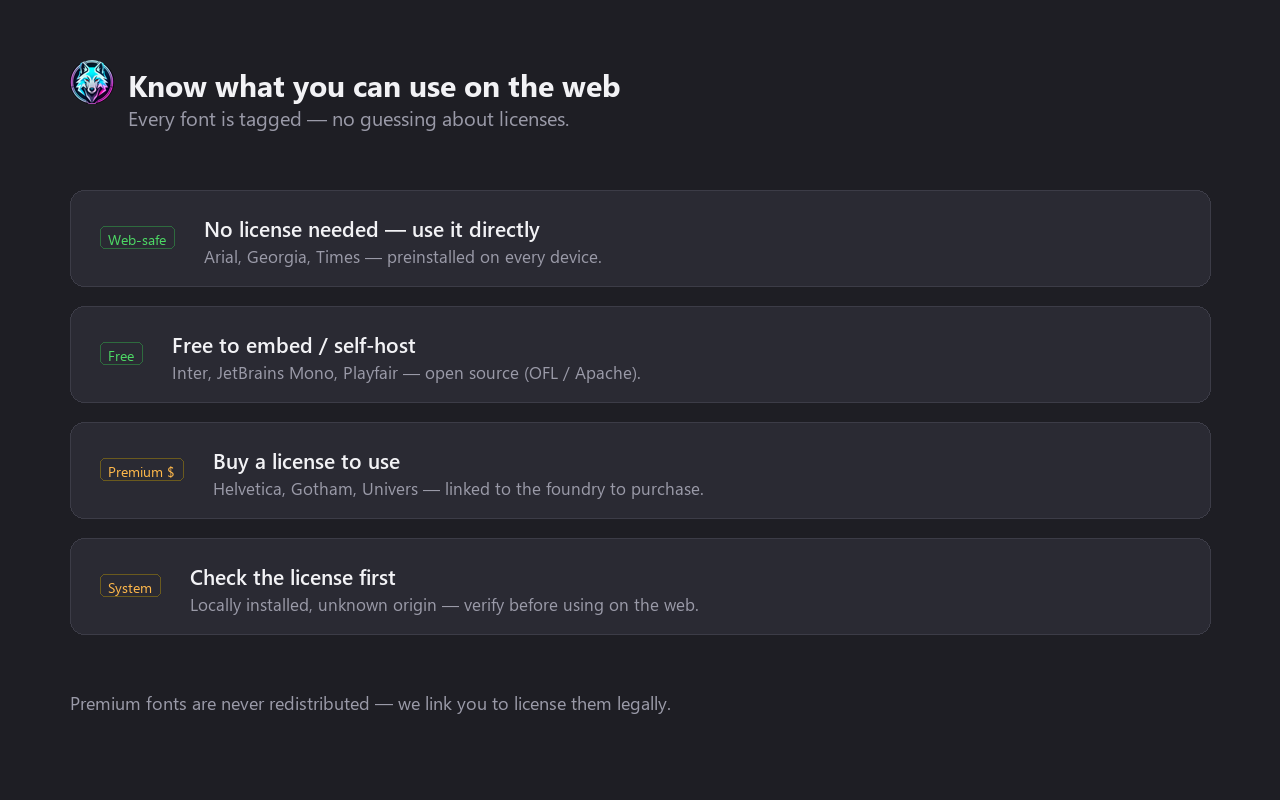
Every font carries a license tag
So you never ship a typeface you can't legally use. Tags are shown right next to each font.
Free to use. Pro when you want more.
The core toolkit is free forever. Pro unlocks unlimited presets and is handled securely by ExtensionPay (Stripe).
Free
- Full font picker — Google + system
- Per-section targeting & chips
- Copy CSS / SCSS / JS
- Per-domain rules · 9 languages
- A handful of presets
Pro
- Everything in Free
- Unlimited presets
- Support ongoing development
- Secure checkout via ExtensionPay / Stripe
Good to know
Does it collect any data? +
Why does it run on all sites? +
Can I keep a custom font setup per website? +
Where do the fonts come from? +
How does Pro payment work? +
Which browsers are supported? +
Make the web your type.
Install Wolfie Font Swapper and preview any font, on any page, in seconds.